

FRAnki 🇫🇷📝
Rationale
If you are learning french, you have already encountered words which you have never seen before, and where the context gives no hint about its meaning. In such cases, you most likely ask google what this means and go on with your reading.
There are several limitations to this:
- you only stimulate your short-term memory and chances are you will have already forgotten the word the next day
- you never quite know which app/site to use and spend both time and energy to look at wiktionary, then larousse.fr maybe, then google images because your word is a flower and litteral definitions such as Cenchre: Graminée du genre Cenchrus. are not super useful while absolutely correct
- it takes way too much time when you have large amounts of unknown words (>50) at the same time
Now, say you have a very long list in your phone with every unknown word for the last couple of years in it. Would it not be nice if you had a little web scraper fetching the definition and picture of such words for you and helping you remember them over time?
Solution
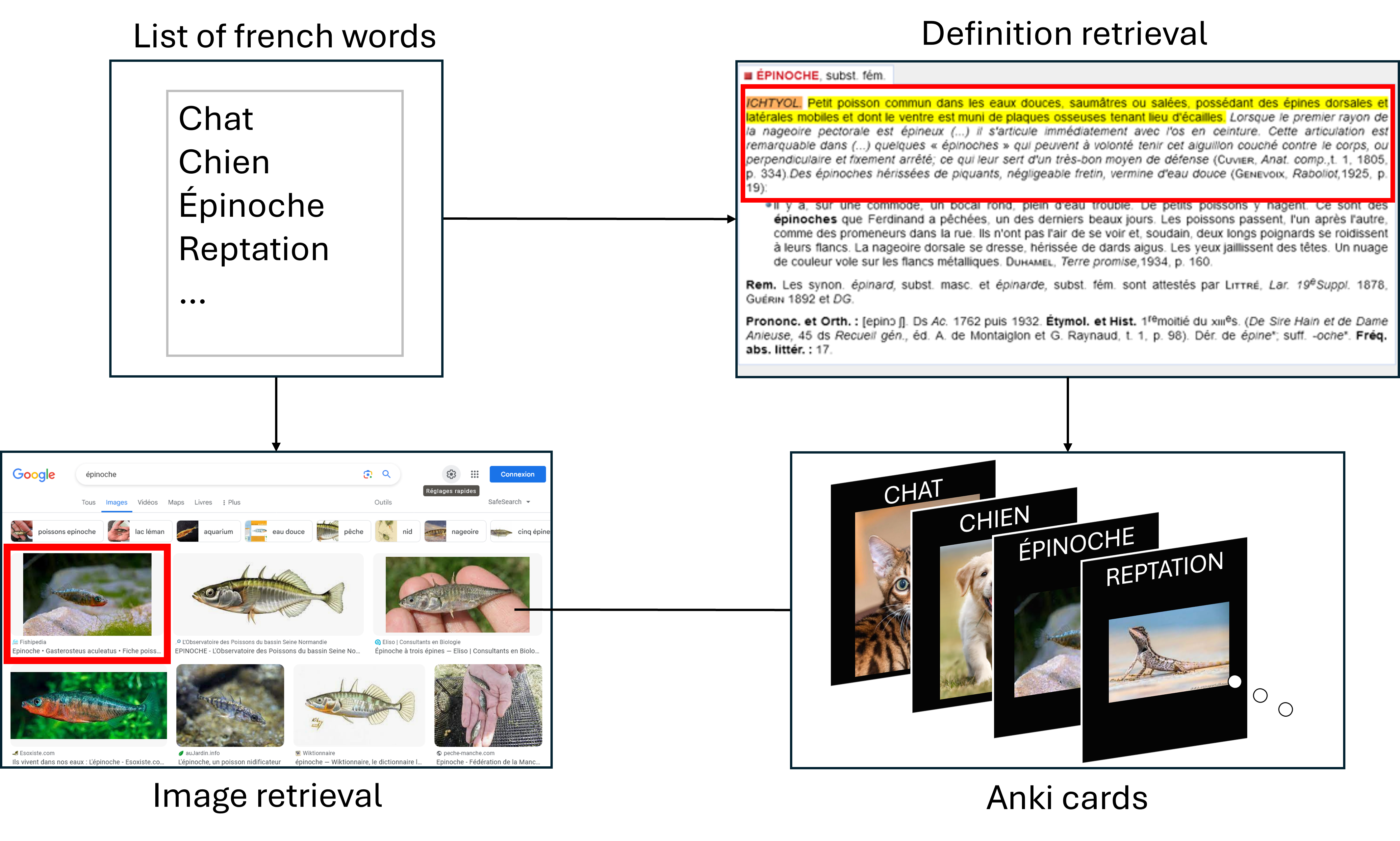
The goal of this project is to automatically fetch for every one of these words a definition, example and illustration image, then to transform this data in Anki flashcards and gather them in an Anki deck for further learning. You can then import the deck to your account and study it on the mobile app!
Because I could not find any appropriate API serving high quality french dictionary entries, and for the sake of honing my skills, I decided to use web scraping from the CNRTL website and from google images.
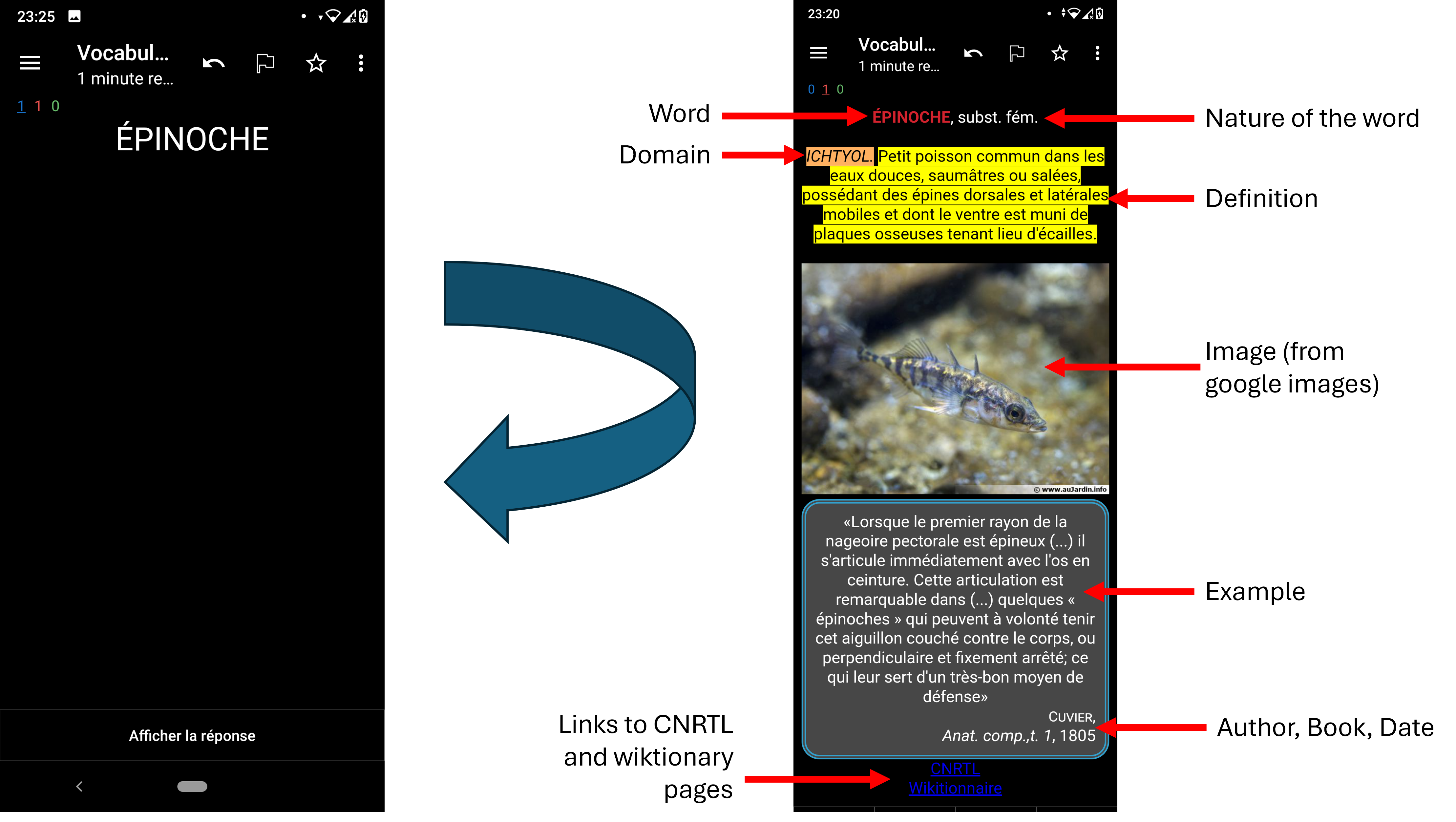
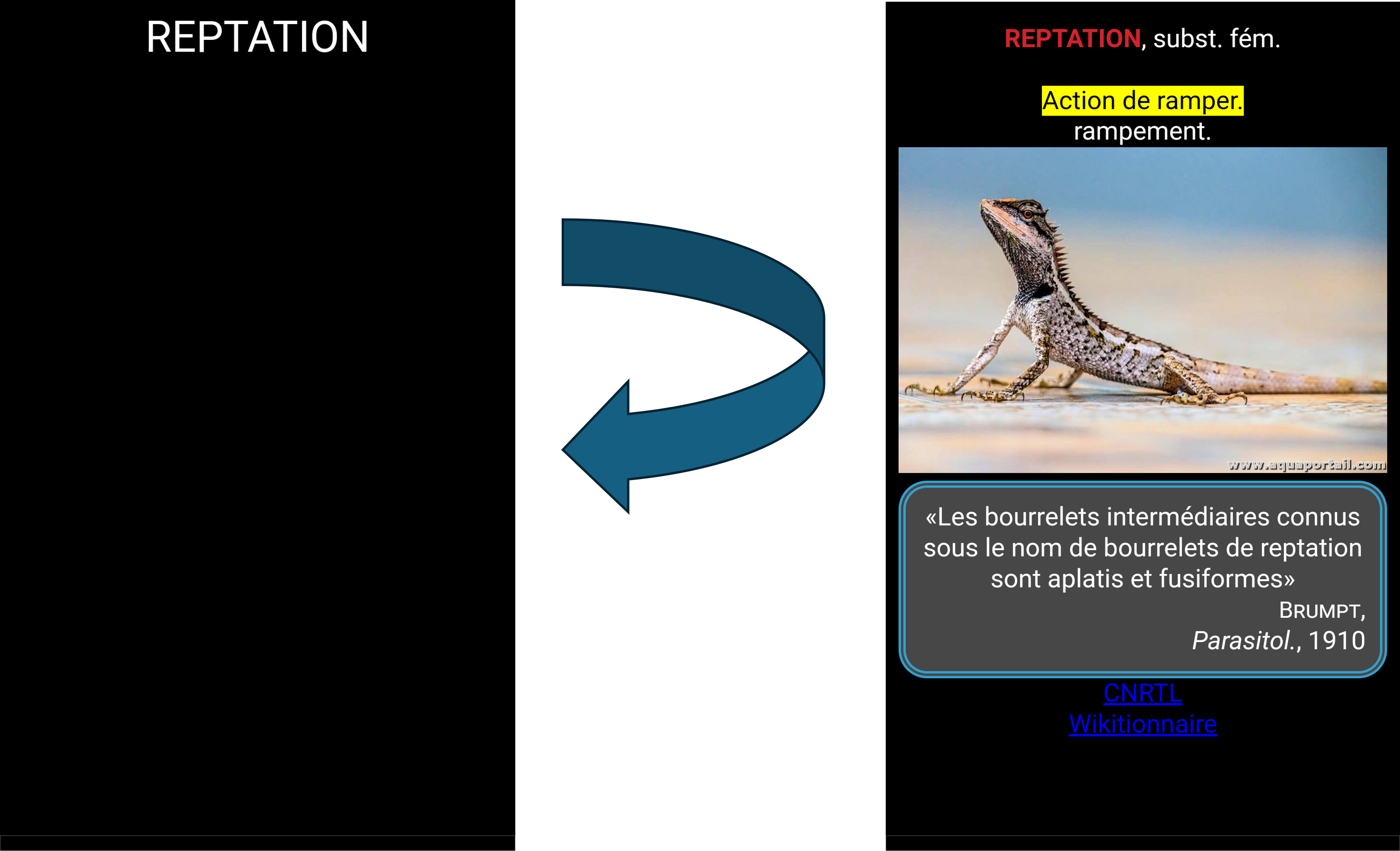
Here are two examples of what an actual flashcard looks like on the mobile app Anki, starting only from the two words as input data. The front and the back of the cards are shown:
How does it work?
CNRTL web scraper
The CNRTL (Centre National de Ressources Textuelles et Lexicales) is a website containing a french dictionary among many resources. This is a go-to website to check definitions of french words as it is fast and efficient. Indeed, the pages are very light and the information is quickly identified thanks to the flashy layout.
For this website, scraping package BeautifulSoup meets our needs as the website is static. The structure of the CNRTL pages is a little messy and changes a bit from one word to another, but in general, one can manage to retrieve the first definition and example of the given input word.
Google images scraper
For the Google Image scraper, it is much more difficult. I had several options:
- Use google API -> limited to 100 requests per month. Inconvenient since I may have batches of 200+ words
- Use
bing-image-downloadermodule on PyPi -> very fast and convenient, but… the research language is set to american english so it may lead to wrong images with false friends. For example the word pain, which will show images of either bread or suffering, depending on the language. Or the word ante, which is an architectural feature in french, will of course show pictures of ants in an english image browser. - Scrape google images search results by hand -> chosen option
The first issue is the cookie approval screen. When performing a search whitout being logged in on your Google account, you get the following screen:
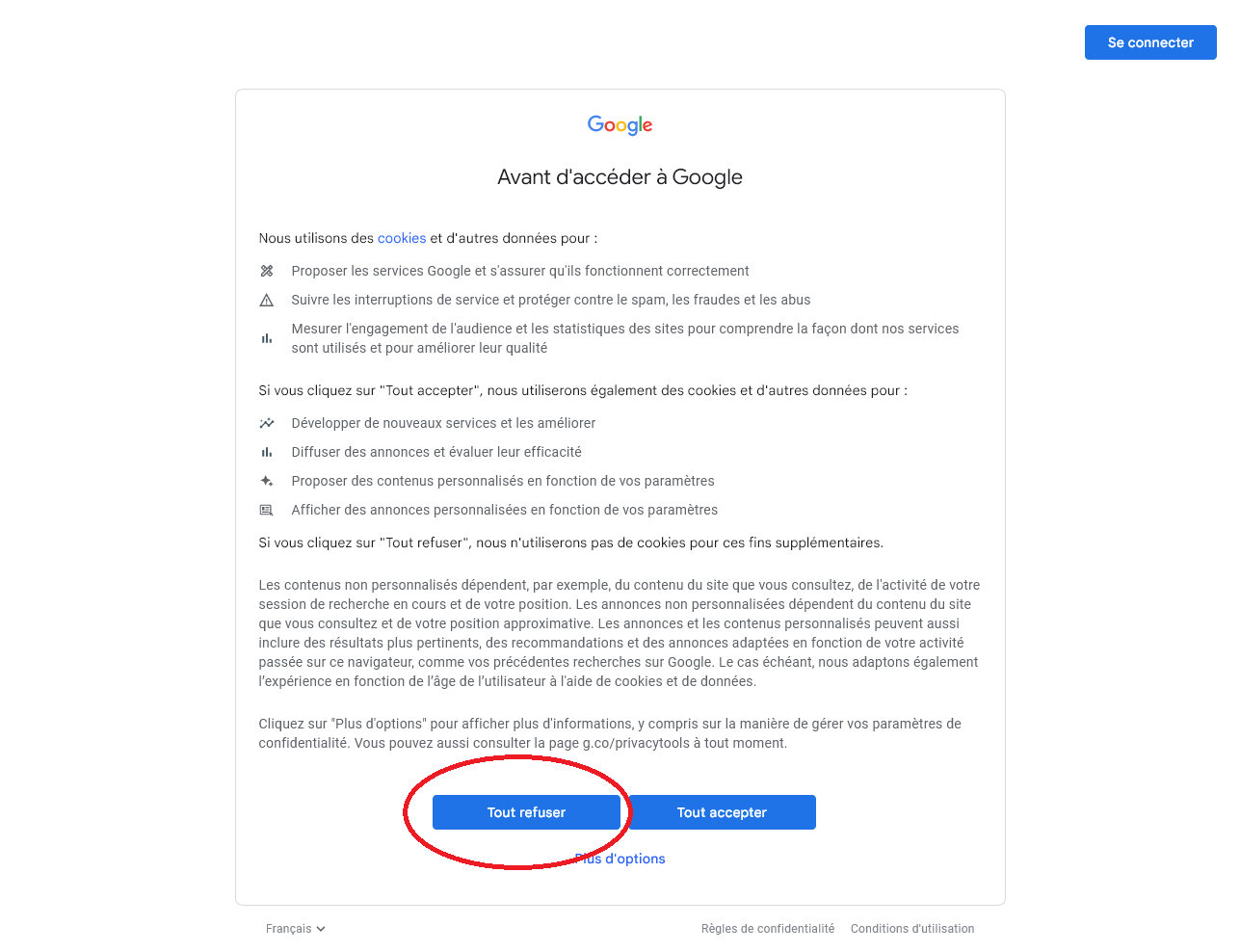
The scraper has to click on one the left buttons programatically. Beautifulsoup cannot handle this so we have to go on with the more feature-complete package called Selenium. Once the cookie screen is off, the rest of the scraper goes:
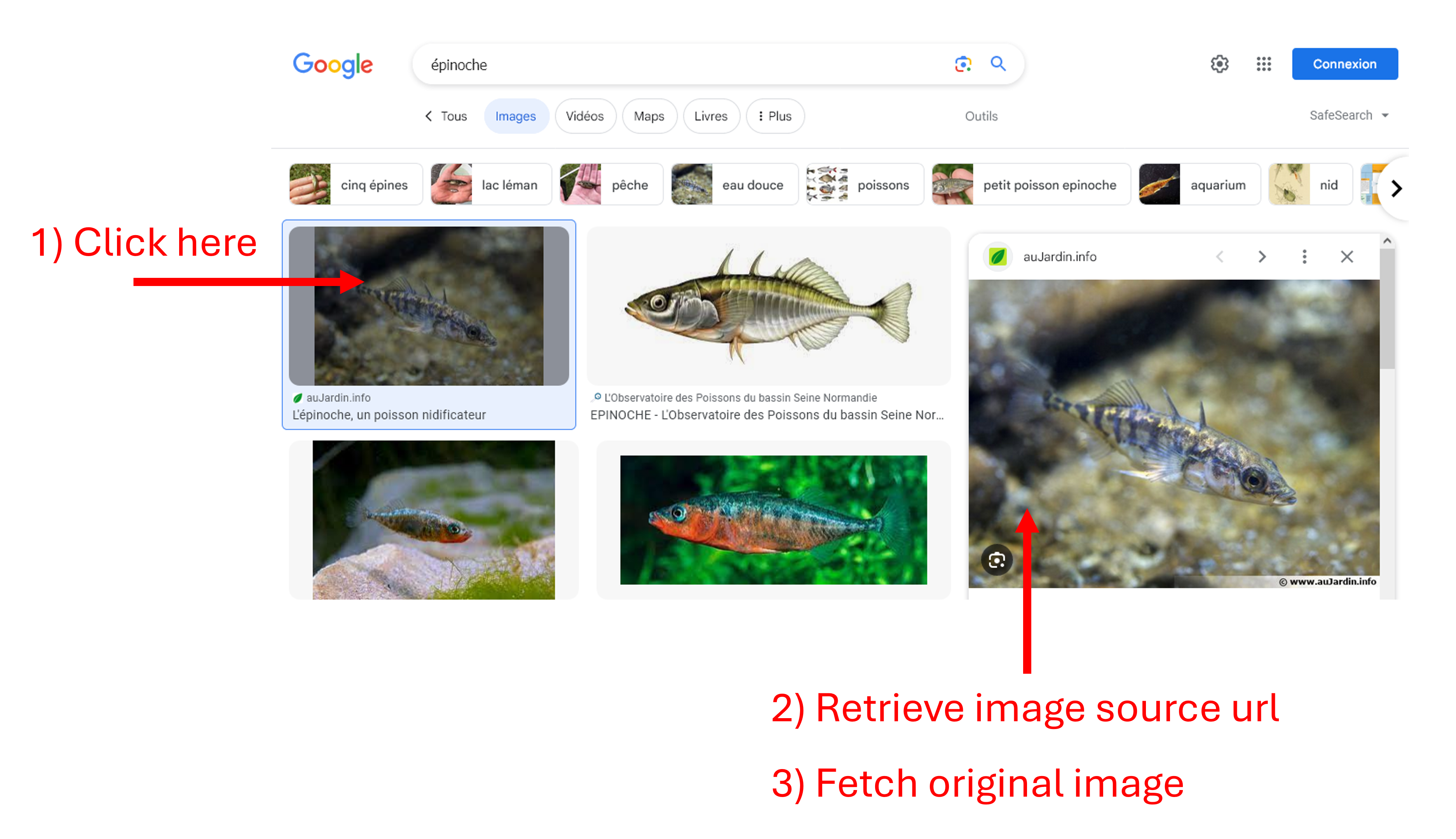
It is better not to download the thumbnail because it is usually not of very good quality. Instead, the more human behaviour of clicking on the thumbnail and downloading the source image is more suited.
Future improvements
There are several failure cases, especially for the definition retrieval. A good improvement would be to make the scraper more robust, and even retrieve all definitions. But in that case, we miss a bit the point of Anki flashcards, which should not contain too much information.
To make the experience more user-friendly and less developer-only, I shall build a web interface allowing to paste a list of words as plain text from your clipboard or any other textual data source, then display an editing interface for every card before building the deck, for there are frequent mismatches between the definition and the image. Finally, I could deploy it as web (or mobile?) application for everyone to use more easily.
As a regular user, FRAnki helped me learn 2138 words in two years. I can only think of all the benefits for non-native speakers!
To see the code and start using FRAnki, head to github.